by
This is primarily targeted towards graphic designers, although anyone can benefit from the information here as well. This post focuses on the hardware of a laptop rather than the software. I figure I’ll save a talk about software for a different day.
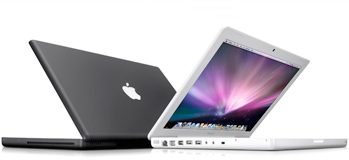
To begin, I highly recommend people stick with Dell or Apple. IBM and Toshiba are good too, but they typically market more to corporations than home users. Both Dell and Apple are pretty much the top of the line as far as home and small business go. You'll always hear about people who have had problems with both, but they are pretty good about fixing things if you get the extra warranty. Again, the information here is applicable to any brand of laptop, but I will mention specifics of some Dell and Apple laptops.
Let me tell you about some of the things that will make the most difference when using your laptop:
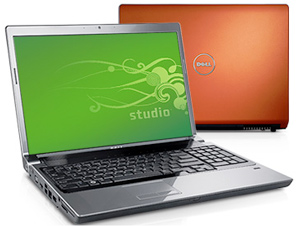
1) Screen resolution. Not screen size! My Dell that I got in 2003 is 15.4", but has a resolution of 1680×1050. This is probably the biggest reason I haven't stopped using it yet, even though I have an iMac as well. The screen is wide enough to fit two internet windows side by side comfortably. Also, when working in Photoshop or InDesign, the toolbars sit nicely off to the side, still leaving plenty of room in the middle for your image. The toolbars are physically small because the resolution is so high.
2) Dedicated graphics card. The lower-end computers use a graphics card that is built in and shares the main system memory. This means you lose 100-200 megabytes of RAM since your graphics card is using it.

Also, the graphics card runs much slower since it has to pull data through the same bus as the system to access the RAM. Getting a dedicated graphics card means it has its own RAM and doesn’t share with the main system. If you are planning on doing any kind of video editing, this is a must. It will also make Photoshop run much faster. My Dell has a 64mb graphics card, although they are usually 128-256mb now. But even the 64mb card is better than none. Dell’s Inspiron series has the share graphics card, they call it the "Intel Graphics Media Accelerator". The XPS and Studio series have the dedicated graphics card, either a 128mb or 256mb NVIDIA GeForce. The biggest drawback to an Apple laptop is that you don't get a dedicated graphics card until you spend some serious money on a Macbook Pro. Their regular Macbooks have just a shared graphics card.
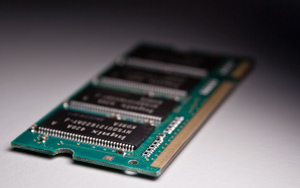
3) RAM. You can get away with having 1gb of RAM, but really you should shoot for 2gb minimum. 3gb is good, 4gb is more than enough for anything you'll do, short of having all of CS3 and a video editing program open at the same time. I have slowly added RAM to my Dell over the years, which is another reason it has been able to last this long. I am up to 1.25gb at the moment. I only have CS2 installed on it, not CS3, so I can't tell you how CS3 works with 1.25gb. A trick you can do with the Apples is buy the computer with the minimum RAM installed, then go buy separate RAM from Newegg and install it yourself. Apple charges way too much for their RAM upgrades, and it is pretty easy to install. I looked at doing that with the Dell, but they only charge $50 for an extra gig, so at that point it isn't worth your trouble to buy it elsewhere.
4) Processor. Any of the Intel Duos will be totally fine. You really won't notice much of a difference between the 2.1ghz and the 2.6 ghz. You will, however, notice a difference between an Intel Duo and an Intel Celeron. A lot of other brands, and also the lower-end Dells use the Celeron processors. You definitely do not want one of these. You will notice that it is much slower.
5) Built-in camera. You may not think you need it, but if you don't get it you'll find yourself constantly annoyed that you don’t have one and everyone else does. Video and voice chatting is becoming much more common these days. It's all free, so it's better than using a cell phone if you're at your computer. Also it acts like a speaker phone because you don't need to hold a phone to your ear to talk. I use voice and video chatting for work meetings all the time. You can't get an Apple without a camera at this point, so that isn't really an issue. And it looks like Dell includes a camera on all their XPS series, and has the option to add it to an Inspiron.
In Conclusion
With Dell's Inspiron and Studio lines you can get a screen at 1920x1200. That is the same resolution as my 24" iMac, and it's absolutely incredible, especially for photo editing. Packing it into a 15.4" laptop screen makes the individual pixels really tiny, but that will only make things super sharp looking.
One alternative to getting a super high resolution screen is to get one that is slightly smaller, like 1440x900, and then also get an external monitor for your desk. This will let you take advantage of an even bigger total screen size when you're sitting at your desk, and will still be fine when you are mobile. I use an external 17" screen along with my main screen on my iMac. I have the extra screen turned on its side so that it is more like looking at a printed page. I can leave things over there for reference while I'm typing on my main screen, like code documentation or file browsers. When working in Creative Suite, it is really nice to be able to open up all the tool palettes and shove them on to the external monitor, and use the full size of the main screen for the document you're editing!
Hopefully this information helps someone in their search for the perfect laptop. I'd be curious to hear what others think.
You can log in and edit this wiki if aaronpk is following you on Twitter.
Oct 27 2009 2:01 pm
Thaanks for your review. I was looking at buying either a Dell or a Mac. I think that for thr price the Dell will do fine for me for the time being, however there is always the "apple Mac" factor which suggests you should have a Mac if you want to do design and photo and vidoe editing. Thanks for sharing your views.
Nov 15 2009 10:07 am
can u tell me the difference between LED and RGBLED?
Jan 05 2010 9:22 am
So just how much will it cost me?
Jan 08 2010 11:22 am
This review has been a life saver! I would love a Mac but I have CS4 Design Premium for PC and I don't want to buy a new program for a new computer. The Dell has been on my mind and they are running some Awesome deals right now. I love the Studio! Thanks!
Jan 15 2010 1:42 pm
Thanks for the simple to the point review! This was exactly what I was looking for and you've saved me a bunch of $$$. Contrary to what I initially thought my current laptop fits the requirements and will do just fine :-)
Jan 31 2010 1:39 am
Thanks SO much for the review. Like Kristin, I have CS4 Design Premium for a PC and was devastated to learn that CS4 is not cross-platform. I thought I was going to have to buy a Macbook Pro and run Windows on it using Bootcamp or Parallel (which is like buying a Ferrari and replacing the engine with one from a Pontiac!). Now I will check into the Dell Studio series for sure! I'll REALLY miss working on a Mac laptop, but the #1 reason I need to buy a new laptop is to be able to run CS4 when I travel or I'm away from home.
Feb 03 2010 1:07 pm
Hey what about 'MAC' Vs. 'Alienware'?
and I'm a graphic designer and photographer... can you tell me which one should i prefer.. I've heard some problem going-on between coming 'Adobe CS5 and MAC'.( http://cs5.org/?p=172 )
please help...Feb 27 2010 10:38 pm
Teresa - I chose not to include prices in this writeup, since it is supposed to serve as general guidelines. But in general, you can expect to get a good Dell laptop with specs close to a Macbook Pro for the price of a Macbook.
Shreyas - I don't know much about the Alienware computers, although you should be able to apply this advice to the Alienware line as well.
Apr 23 2010 1:14 pm
good write up, but as a web designer and developer ... I just can't use a laptop, why? Screen space!!! Keyboard size! Decent Mouse and Wacom pad! My current setup is a Mac Mini 549 bucks, plus dual 24" viewsonics 199 a piece, totalling under a grand. laptop can not come close to that performance and productivity at that price point. Any quick changes while I'm away, or edits, system administration responding to emails I can actually just do from my phone.
Apr 24 2010 8:22 pm
I'm wondering if your recommendations would be any different for a college freshman majoring graphic design, where cost is more of a concern and the demands on the system may be less. As far as the software, CS4 or 5 will be required, but I'm not sure what else yet.) What would you recommend for screen resolution and RAM? Do you think a dedicated graphics card would still be important? Thanks for the great article.
Apr 24 2010 8:37 pm
Sorry, I forgot to ask about the hard drive. I've read that 500 GB would be good for working graphic designers, but what would you say would be large enough for graphic design students?
Apr 25 2010 1:08 am
@Jerry I wouldn't go lower than 1680x1024 on the screen, and you might be able to get away with an integrated graphics card now, they have gotten much better recently. I'd say you'll need a minimum of 2gb RAM, but you'd be able to have more and larger files open with 3 or 4. A 250gb hard drive would be more than enough, especially if you aren't doing video work. On the other hand, if you get a laptop on the higher end of the spectrum you might get 6-7 years out of it. My original Dell I got in 2003, and seven years later it's still able to run Photoshop and I still use it occasionally. It has since been replaced by a newer Dell Studio XPS, but it's handy to have around as a backup to loan to others or use while traveling to rough places.
May 09 2010 7:05 pm
I'm a senior in high school planning to major in graphic design next year (sound familiar?) and I'm looking at the Dell studio 15 vs. the studio 14z. Your advice was very helpful, thank you! What would you recommend as far as the video card? ( Intel HD Graphics vs. NVIDIA GeForce vs. varrying GB ATI Mobility Radeon HD ) This is the dedicated graphics card you were talking about, right?
May 09 2010 7:20 pm
@annabes: I don't really have any recommendation on a specific video card, as long as you get a dedicated video card (not one that says "integrated") you'll be fine. For serious gaming or 3D video editing it might be important to research the cards a bit further, but really most modern video cards are similar enough that you won't notice a difference.
May 09 2010 7:29 pm
Thank you. If they don't specify whether they are integrated or dedicated, should I basically just google the cards? The Dell site doesn't appear to differentiate.
May 09 2010 7:36 pm
@annabes The Intel HD Graphics is an integrated card. It looks like the Studio 15 is the only one that has this option, the Studio 14z and the Studio XPS 16 both come only with dedicated cards. However I think you can get the Studio 15 with a dedicated card, it will be one of the upgrades.
May 09 2010 7:42 pm
Okay! Thank you very much!
Aug 03 2010 4:26 pm
I saw HP laptop. the specs are I core 3 4 GB ram & 500 HD along with nvidia cuda is laptop is good for graphic design
Sep 08 2010 9:32 am
Thank you Aaron for sharing from your wealth of knowledge with such conciseness and precision!
Sep 16 2010 3:45 pm
Thanks for your review pls inform best dell series for designing
Sep 22 2010 9:35 am
Great article :) I'm on a budget so I can only afford up to £400 at the moment for a new laptop. Are dedicated Graphics neccessary? I used to use shared Graphics on my old laptop and never noticed any problems before. The main reason I'm upgrading is because I need more RAM, a better processor and a bigger hard drive. But the laptop I'm looking at (Acer 5732Z) is 4GB, 320HDD, Intel Pentium Dual-Core 2.2GHZ, but it doesn't have a dedicated Graphics Card, only integrated. I think it's an Intel HD Graphics card but I'm not certain... Any help on this?
Sep 22 2010 3:30 pm
I just want to say, that Im a graphic designer and I got a Toshiba. Toshiba has little or no support, and Ive had multiple hardware failures within a year of normal use. I will never get another toshiba. And apple makes pretty good laptops but they are over priced for what you get. Dell is ok but Ive had problems with those before as well. Dell puts a bunch of crap you dont need on them too as far as software goes. This is just my opinion and experience.
Oct 05 2010 10:13 am
This articles is very useful. I am graphic design student like many others and you answered my questions. Thanks a lot.
Oct 06 2010 10:23 pm
Thanks for the article, this will be very useful for me. One thing I'm wondering is, the Dell Studio laptops on Dell's website specify i3, i5, and i7 for the processor. What does this mean? How does that compare to Intel Duo? Thanks for the help
Nov 07 2010 5:52 am
Thank you so much for this really great and helpful tips, really needed such guidance as I'm about to buy m y very new and first laptop ever. at the moment I'm working on a remote/virtual machine of a core i7 desktop that belongs to my brother, using a Dell 17" monitor. My budget is around $1000, and been looking for something powerful yet suitable for this budget. Im a graphic designer and work mainly with all the Adobe creative suit CS4 (PS, InDesign and Illustrator) and hopefully I would be able to install flash when get a new device. The available models at the moment is Dell Inspiron N5010 with the following main HW specs:
Intel® Core™ i5 540M 2.53GHz Turbo Boost Up to 3.06GHz, 3MB L2 Smart Cache Processor Bus Speed: 2.5GT/s DMI Memory: 4GB DDR3 Memory Bus Speed: 1066 MHz Hard Disk: 500 GB SATA Hard Disk Spindle Speed: 5400 rpm Optical Drive: DVD+/-RW Double Layer Screen: White LED backlighting Screen Size: 15.6" Screen Resolution: 1366 x 768 Pixels Display Card: ATI Mobility Radeon™ HD5470 Display Card Memory: Dedicated 1GB Up to 2714MB
Do you think would be just fine as a start?
Thanks you so much for the tips.Dec 15 2010 7:38 am
HI, (the important stuff is in the next paragraph) I have always wanted to be a graphic designer, for years, and I am now 20 years old, in college, preparing for my career. I have always wanted a macbook pro, but at this point I cannot afford one. I am so grateful for all this information or my head would probably start spinning ridiculously.
I've had this HP PAVILION dv2000 fro 3 years now, and I love it a lot, but the time has come for me to find a laptop that would be almost perfect for graphic design softwares (and playing sims 3 *i really love that game, but cant play it on my hp*). I was thinking about the DELL STUDIO 17, but it might be too bulky for me during this time. Should I attempt to purchase the Dell studio 15?
Thank you in advanceFeb 21 2011 3:22 pm
Thanks for the advice.
Mar 17 2011 7:03 am
ofcourse Nvidia is the best Graphic ever, i used 1GB for editing video and its great,....
Mar 28 2011 7:40 pm
Been researching what laptop to buy for months now! My trifecta: centered keyboard (no annoying num pad making mouse pad off-centered) which is right for us designers; seperate graphics card; and a screen with an anti-glare coating. Now try to find all three... ain't gonna happen! Closet I found was Dell Hp and Sony. All have 2 outa 3. Gonna go with the Dell Xps cuz the rgb-led screen is amazing so everyone sais. And since anti-glare is so rare these days just may get the anti-refective film to stick on to it (don't want annoying reflections while working!). So that's it... happy hunting everyone.
Jul 06 2011 4:24 am
i want laptop because i want to show the design corel design to costmers
Sep 27 2011 5:53 pm
Thank you so much for this. I was looking for a laptop to do some video editing and don't have one. This article helped a lot! I was considering getting a Macbook, but since I have a lot of programs on the PC already that I just want to install again on another, I will go for the Dell. I have to save money where I can. Thanks again.
Oct 20 2011 1:35 pm
This was extremely helpful. Thank you!
Oct 25 2011 9:35 pm
Wow, this article is great. I am currently pondering on whether to go into graphic design or not, I am almost 20 and I just started my GE's at a community college. Before that I was in a interior design program that I left because it was just stupid. I recently bought a new HP computer in August, and looking at these reviews, I don't know if i can afford getting another computer/laptop I am a HP fan all the way. I grew up using a HP all my life and it has never failed me once. Although I was planning on buying a new laptop ! So it might work out if I choose to go into Graphic Design. I however... don't understand why Macs.... are so EXPENSIVE! I would like to hear what other people have decided to get :/
Nov 07 2011 1:09 pm
apple laptops are NOT overpriced. Have you used one? If so you'll know you have to compare it to a dell or sony high end laptop, otherwise the quality of cheaper windows laptops are like plastic, slower hdds, and most importantly BAD Screens. I have to work on one for work right now it is brand new, 4gb, core i3 15"...but it is useless! I have to use an external monitor to do any graphics work b/c the resolution on the piece of crap is 1366x768. Personally I would opt for the money and get a 17" macbook pro at 1920x1200 resolution.. Makes a huge huge difference. I'd rather have that than a 15" + external actually.
Nov 07 2011 1:10 pm
Sarah, no... don't worry so much about the proc specs/hdd specs. If you are using a laptop and are a graphic designer the MOST important thing period is the Screen Res.