2015 Update: I've heard reports that this no longer works and may brick the device. Proceed at your own risk and keep in mind that this article is now over 4 years old.
I recently acquired a 6 TB Seagate NAS drive which I am using for nightly backups of my servers, as well as snapshots of several Dropbox accounts.
While the web interface on the device isn’t too bad, I wanted a little more control over it, as well as the ability to monitor the device's health with some custom munin graphs.
Here's how to enable SSH without wiping the drive and installing custom firmware.
- Set up a new user account on the device from the web interface, and create a password.
- Shut down the device, remove both drives, and connect them to a local computer with SATA cables.
- Boot your linux computer with the drives attached, it’s probably safest to boot from some sort of Live CD. I used Fedora.
- When you get to a shell, execute the following commands to mount the drives.
$ mdadm -A /dev/md0 /dev/sda1 /dev/sdb1
mdadm: /dev/md0 has been started with 2 drives.
$ mkdir /mnt/md0
$ mount /dev/md0 /mnt/md0
- Add the following line to the file /mnt/md0/etc/inetd.conf:
ssh stream tcp nowait root /usr/sbin/dropbear dropbear -i
You can do this in one shell command by executing this:
echo "ssh stream tcp nowait root /usr/sbin/dropbear dropbear -i" >> /mnt/md0/etc/inetd.conf
- Edit
/mnt/md0/etc/shadowwith a text editor, and replace the hashed password for "root" with the hashed password of the user you created. The hashed password is the characters between the second two colons, and begins with$1$$. - Unmount the drives and shut down the array:
$ cd
$ umount /mnt/md0
$ mdadm -S /dev/md0
mdadm: stopped /dev/md0
- Put the drives back in the NAS device and turn it back on!
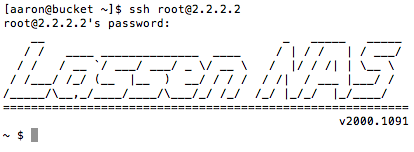
- After it boots, you'll be able to ssh in as root with the password you set from the web interface.